


Hand a student an information book and watch what they do. Many open to page one and start reading every word in order, like a novel. They skip right past the headings, ignore the diagram that explains everything, and never notice the glossary at the back. Then they tell you the book was “hard”.
Teaching nonfiction text features fixes that. In my classroom it was one of the quickest wins in reading: a couple of weeks of focused work, and students went from wading through information texts to actually navigating them. This guide gives you a table of the 12 features worth teaching, a scavenger hunt lesson, a teaching sequence, and a way to get students using features in their own writing. There are free printable posters too.
What are nonfiction text features?
Text features are the parts of a nonfiction text that sit around or alongside the main writing. Headings, captions, diagrams, bold words and glossaries are all text features. They aren’t extras. Authors and designers add them on purpose to help readers find information, understand tricky ideas, and remember what matters.
Fiction has a few features too (chapter titles, illustrations), but nonfiction relies on them far more. They’re one of the clearest signals that separates different text types, and students who can spot them quickly can usually tell what kind of text they’re holding within seconds.
Why text features matter for comprehension
Good readers use text features before, during and after reading, often without realising it.
- Before reading, headings and the table of contents help readers preview the topic and predict what they’ll learn.
- During reading, diagrams, captions and bold words explain ideas that would take paragraphs to describe in words.
- After reading, the index and headings help readers go back and find a fact quickly, without rereading everything.
Headings are also a huge help with finding the main idea. A heading is often the author telling you, in four or five words, what the section is about. Teach students to turn a heading into a question (“Rock pool predators” becomes “Which animals hunt in rock pools?”) and they’ll read the section with a purpose.
12 nonfiction text features to teach
| Text feature | What it looks like | How it helps the reader |
|---|---|---|
| Title | The name of the book or page, usually large and on the cover or at the top | Tells the reader the topic before they start |
| Table of contents | A list of chapters or sections with page numbers, near the front | Shows what the book covers and where to find each part |
| Headings and subheadings | Large or bold titles above each section | Tell the reader what the section is about and break the text into chunks |
| Bold words | Darker words in the main text | Signal important or new vocabulary to pay attention to |
| Glossary | An alphabetical list of key words and meanings, at the back | Explains specialist words without interrupting the text |
| Index | An alphabetical list of topics with page numbers, at the very back | Helps the reader jump straight to one specific fact |
| Photographs | Real pictures of the topic | Show what something really looks like |
| Captions | A sentence or two under a picture | Explain what the picture shows and add extra facts |
| Labelled diagrams | A drawing with lines pointing to named parts | Show the parts of something and how they fit together |
| Maps | A drawing of a place, often with a key | Show where something is or where it happens |
| Timelines | A line with dates and events in order | Show when things happened and in what sequence |
| Fact boxes and sidebars | A boxed section beside the main text | Add interesting extra facts without cluttering the main writing |
With younger students, start with five: headings, photographs, captions, labelled diagrams and bold words. Older students can work with all 12 and should start asking why the author chose one feature over another, which links nicely to author’s purpose.
Free nonfiction text features posters
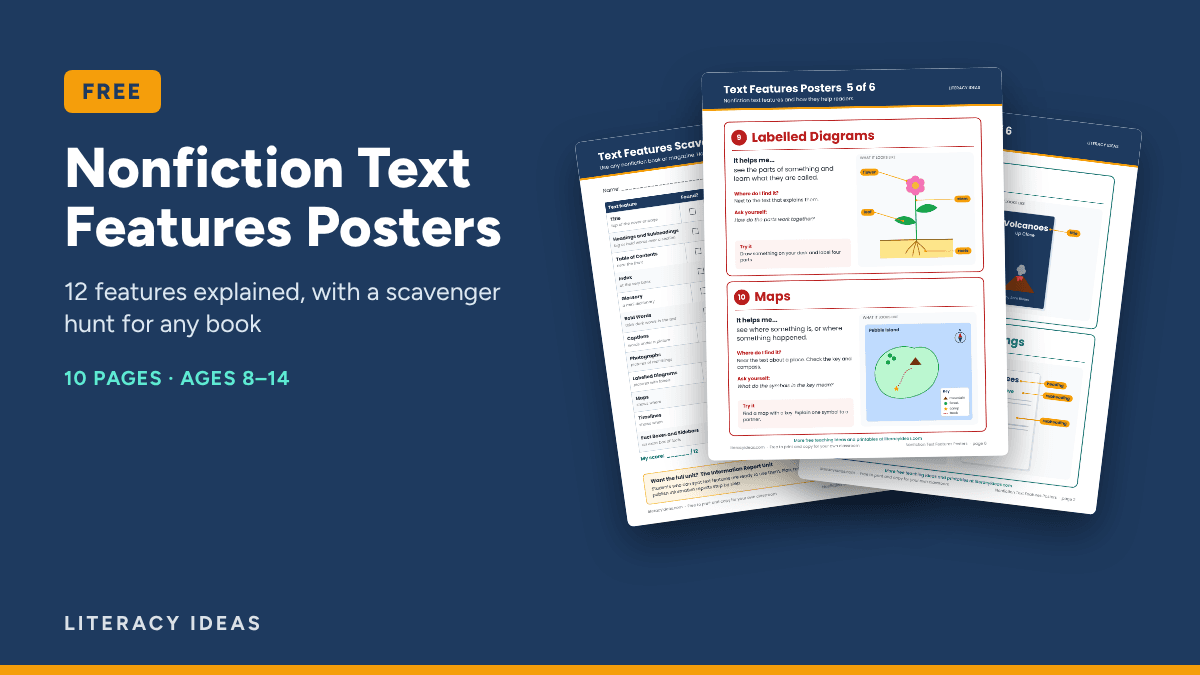
FREE: Nonfiction Text Features Posters. 12 key features on 6 classroom posters (two per page, each with a drawn example and a “Try it” task), a scavenger hunt sheet that works with any nonfiction book, and a planner and blank template so students design their own nonfiction page. 10 print-ready pages for ages 8 to 14. Pop in your email and the download link appears straight away.
The text features scavenger hunt (a lesson that works)
This is the lesson I came back to every year because it gets every student handling real texts. It takes about 45 minutes.
- Gather the texts. Collect a pile of information books, magazines and printouts. Library books are perfect. Aim for at least one text per pair, with a mix of topics.
- Model one find. Hold up a book and think aloud: “I’ve found a labelled diagram of a frog. The labels show me the parts, so I don’t have to read three paragraphs to know where the eardrum is.”
- Set the hunt. Pairs search for as many of the 12 features as they can in 20 minutes. For each one, they record the page number and one sentence on how it helped them.
- Raise the bar. For bonus points, pairs find a feature that could be improved, such as a photo with no caption or a heading that doesn’t match its section.
- Share and sort. Pairs report back their best find. Build a class chart of features found, grouped by “helps me find”, “helps me understand” and “helps me remember”.
The “helps me” sentence is the important part. Without it, a scavenger hunt is just spotting. With it, students are thinking about how each feature supports comprehension.
A teaching sequence for text features
Week 1: Notice and name
Introduce three or four features a day using a big book or a projected page. Run the scavenger hunt at the end of the week. Put the posters up so students have the vocabulary in front of them.
Week 1-2: Read with features
Before reading any information text, students spend two minutes previewing: headings, pictures, captions, bold words. They predict three things they’ll learn. After reading, they check their predictions. This “preview first” habit is the real goal.
Week 2: Compare and judge
Give students two short pages on the same topic, one with good text features and one that’s a solid block of words. Ask which is easier to learn from and why. Then have them choose the best feature to add to the plain page.
Week 2-3: Use them in writing
Move straight into students designing their own pages, which is where the learning really sticks.
Students using text features in their own information reports
Once students have used text features as readers, they should use them as writers. When I taught information reports, I always had students plan the features as part of the layout, not tack them on at the end.
Here’s an invented example of a student page plan for a report called Life in a Rock Pool:
- Heading: Life in a Rock Pool
- Subheadings: What is a rock pool? / Who lives there? / Surviving the tide
- Labelled diagram: A cross-section of a rock pool with labels for the anemone, crab, limpet and seaweed
- Caption: “Limpets clamp tightly to rocks so waves can’t wash them away.”
- Fact box: “Did you know? Some anemones can live for more than 50 years.”
- Bold words: tide, predator, camouflage, each one also in a mini glossary
The design-your-own-page planner and template in the free pack follow the same approach. A simple rule I give students: every feature must earn its place. If a picture doesn’t have a caption that teaches something, or a fact box just repeats the main text, it goes.
Want the full unit? My Information Report Unit takes students from research to a finished report, with models, lessons and planners in digital and print.
Common mistakes when teaching text features
- Stopping at identification. Spotting a caption is easy. Explaining how it helps is the skill. Always ask “How did that feature help you?”
- Teaching features in isolation. A week of worksheets with no real books doesn’t transfer. Use real texts from day one.
- Mixing up glossary and index. Students confuse these constantly. Teach them together: glossary tells you what a word means, index tells you where a topic is.
- Decoration in student writing. Students love adding pictures with no purpose. Insist on a teaching caption for every picture.
- Skipping the preview. If students still start reading at line one, the teaching hasn’t stuck. Make previewing a routine before every information text.
Text features FAQ
What’s the difference between text features and text structure?
Text features are the visible parts that help readers, like headings and diagrams. Text structure is how the writing itself is organised, such as cause and effect, compare and contrast, or sequence. Features often give clues about structure. A timeline, for example, usually signals a sequence.
Which text features should I teach first?
Start with the ones students meet most often and use most easily: headings, photographs, captions, labelled diagrams and bold words. Add the table of contents, glossary and index once students are comfortable reading longer information books.
Do websites have text features too?
Yes. Websites use headings, menus, hyperlinks, search bars, pop-up definitions and videos. Comparing a print page with a web page on the same topic is a great extension lesson for older students.
How do I assess whether students understand text features?
Give students an unfamiliar information page and ask three questions: Which feature would you use to find a fact about X? What does this diagram show that the text doesn’t? Why do you think the author added this fact box? Their explanations will tell you far more than a labelling task.
Are text features only for nonfiction?
Mostly. Fiction uses a few, like chapter titles and illustrations, but nonfiction depends on them. Some text types blend both, such as a narrative information book with a story plus fact boxes, which makes a great discussion text.