


Ask a class of twelve-year-olds whether they have used AI and almost every hand goes up. Ask them how they know the answer it gave them was true and the room goes quiet.
That gap is what AI literacy is about. Students already use these tools. Very few have been taught to use them well, to check what comes back, or to know when not to use them at all. Most teachers are being asked to close that gap with little training and even less time.
This guide sets out where schools actually stand with AI in 2026, the real strengths, weaknesses, opportunities and threats it brings, and the skills and lessons that make a difference in the classroom. It’s written for teachers of grades 4–12, with students aged roughly 9 to 18, and it comes with a free, ready-to-teach lesson pack.
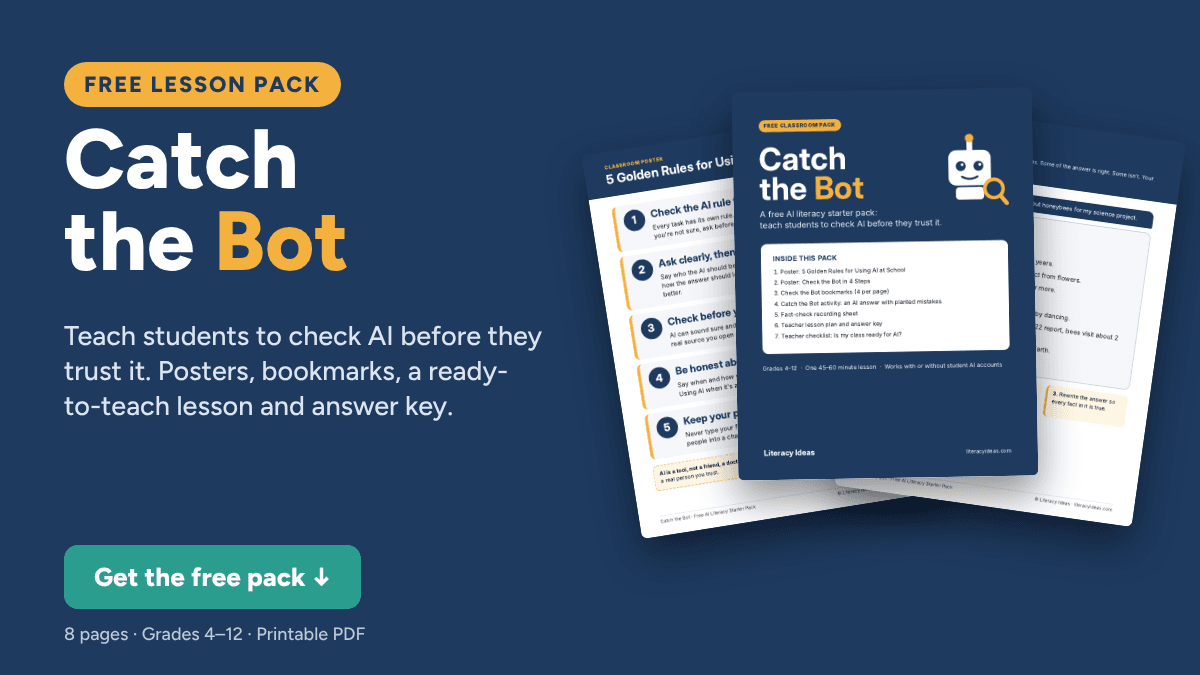
FREE: Catch the Bot AI literacy pack. Two posters, bookmarks and a ready-to-teach lesson where students fact-check a chatbot’s answer. Get it free below.
What Is AI Literacy?
AI literacy is the knowledge and judgment to use artificial intelligence well: understanding roughly how tools like chatbots work, using them to think rather than to avoid thinking, checking what they produce, and recognizing their risks to privacy, fairness and honesty.
It sits inside digital literacy, the way media literacy does. Digital literacy taught students to search, evaluate websites and stay safe online. AI literacy adds a new problem: a tool that doesn’t just find information but writes it, confidently and fluently, whether it’s right or not.
The clearest definition so far comes from the AI Literacy Framework published by the OECD and the European Commission in June 2026. It organizes AI literacy into four domains:
| Domain | What it means for students | In the classroom |
|---|---|---|
| Engage with AI | Recognize when AI is being used and judge whether its output is accurate and fair | Fact-checking a chatbot answer before using it |
| Create with AI | Use AI to explore and build ideas while owning the result and crediting the tool honestly | Brainstorming story ideas, then writing the story yourself |
| Manage AI | Decide deliberately which parts of a task to hand to AI and which to keep | Choosing to use AI for feedback, but not for the first draft |
| Shape AI | Understand how AI systems are built from data and human choices, and how that affects people | Discussing why a tool might be biased, and who decides |
Two points in that framework matter for every teacher. First, it is explicit that simply using AI tools does not build AI literacy; it has to be taught. Second, it says AI literacy can’t be left to computing teachers. Checking sources, weighing evidence and writing honestly are skills that already live in English, history and science classrooms. The framework will also inform the first PISA assessment of media and AI literacy, scheduled for 2029.
Where Schools Are With AI in 2026
Three years after chatbots arrived in classrooms, the picture is consistent across countries: students are ahead, teachers are catching up, and policy sits somewhere in the middle.
Students: use is now normal
- In the US, Pew Research Center found that 54% of teens aged 13–17 have used a chatbot for help with schoolwork, and about 1 in 10 do all or most of their schoolwork with one.
- The most common school uses were researching a topic and solving math problems, ahead of editing their own writing.
- In Australia, the eSafety Commissioner reported in March 2026 that 79% of children aged 10–17 had used an AI assistant or AI companion.
- Most teens surveyed by Pew also believe using chatbots to cheat is common at their school.
The pattern behind these numbers matters more than the numbers. Children meet AI first at home, on their own devices, with no instruction. By the time a school sets rules, habits are already formed.
Teachers: rising use, thin support
- A Gallup survey for the Walton Family Foundation, released in October 2026, found that 59% of US K–12 educators used AI tools for work during the 2025–26 school year.
- Training is improving but patchy. In EdWeek Research Center surveys, the share of US teachers with no AI training fell from almost 60% in late 2024 to 42% in early 2026.
- Guidance lags further behind. Gallup reported in 2026 that only 18% of US teachers had received formal guidance from school leaders on how AI should be used.
- Across OECD countries, the 2024 TALIS survey found about one in three teachers using AI, and most saying they lacked the skills to teach with it.
Policy: frameworks, but few classroom answers
- Australia has had a national Framework for Generative AI in Schools since 2024. Education ministers endorsed its first review in June 2025. Some systems have gone further: NSW gave public school students from Year 5 up access to its own tool, NSWEduChat, which is designed to ask students questions rather than hand over answers.
- The United States has no national curriculum for AI, but an April 2025 executive order made AI literacy a federal priority, and around 37 states have now published guidance for K–12 schools.
- Internationally, the OECD and European Commission framework above gives schools a shared language, and the PISA 2029 assessment gives systems a reason to act on it.
The result for most teachers is the same wherever they work: a high-level framework, a school policy that may or may not exist, and a class of students who need practical rules by Monday.
AI in Education: Strengths, Weaknesses, Opportunities and Threats
A SWOT analysis is a useful way to cut through the noise. Strengths and weaknesses are about the tools themselves. Opportunities and threats are about what happens when those tools meet schools, students and society.
Strengths
- Saves teachers time on planning and admin
- Differentiates texts and tasks in seconds
- Gives instant explanations and feedback
- Can tutor well when designed to
Weaknesses
- Makes things up, confidently
- Becomes a crutch that weakens learning
- Makes students overconfident
- Quality depends on the question asked
Opportunities
- Teach verification and research skills
- Redesign assessment around process
- Personalized practice and support
- School-built tools with guardrails
Threats
- Cheating, and unreliable AI detectors
- Deepfakes and image-based abuse
- AI companions and student wellbeing
- Privacy, data and a widening equity gap
Strengths
Time. In Gallup’s 2025 study, teachers who used AI weekly estimated it saved them about 5.9 hours a week, mostly on preparation, worksheets and adapting materials. That figure is self-reported and worth treating with caution, but almost every teacher who uses AI regularly can name a task it now does faster.
Differentiation. Rewriting a text at three reading levels, generating extra practice questions or translating a note home used to take an evening. It now takes minutes, and the teacher stays in charge of the result.
Tutoring, when it’s designed well. A World Bank randomized trial in Nigeria gave secondary students six weeks of after-school English sessions using a chatbot, guided by teachers. The gains were estimated at 1.5 to 2 years of typical learning. The key detail: teachers designed the tasks and supervised the sessions.
Weaknesses
It makes things up. Chatbots produce fluent, confident text whether or not it’s true, including invented quotes, statistics and sources. These errors, called hallucinations, are rarer than they were, but they haven’t gone away, and they’re hardest to spot for exactly the students who know least about the topic.
It can weaken learning. A large field experiment with nearly 1,000 high school math students found that those given an ordinary chatbot during practice did better at the time, then scored 17% worse on tests taken without it than students who never had it. They had used it as an answer machine. A version designed to give hints instead of answers largely removed the harm.
It breeds false confidence. The same study found students overestimated how much they had learned. That’s the real danger of AI for learning: not that students learn nothing, but that they believe they’ve learned more than they have.
Opportunities
Teaching students to check. AI gives teachers the best reason in years to teach verification, lateral reading and source evaluation properly, because students can see why it matters. Every hallucination is a ready-made lesson.
Better assessment. If a take-home essay can be written by a chatbot, it was probably measuring the wrong thing. Many schools are shifting weight toward drafts, conferences, in-class writing and explaining your thinking out loud, which are better measures of learning anyway.
Purpose-built tools. School and system tools like NSWEduChat show what’s possible when the tool is designed to ask questions, keep data private and support learning rather than replace it.
Threats
Academic integrity, and false accusations. Cheating is real, but the obvious fix doesn’t work. A Stanford study found that AI detectors flagged more than 61% of essays by non-native English writers as AI-generated, while rarely flagging native speakers. A detector score should never be the only evidence against a student.
Deepfakes and image-based abuse. “Nudify” apps can turn a single school photo into a fake explicit image in seconds. Australia’s eSafety Commissioner has reported a sharp rise in these incidents among school students and has taken action against services used to create them. Every school needs a response plan before it needs to use one.
AI companions. Pew found 12% of US teens have used chatbots for emotional support or advice. eSafety estimates around 200,000 Australian children have used AI companion apps, and since March 2026 Australian industry codes require age checks before these services can show harmful content. Students need to understand that a chatbot isn’t a friend, a counselor or a doctor.
Privacy and equity. Free tools often learn from what students type. And the gap is widening between schools that can train teachers and buy safer tools and those that can’t. RAND found that 67% of low-poverty US districts had trained teachers on AI, compared with 39% of high-poverty districts.
Weigh it all up and one conclusion stands out. Banning AI doesn’t remove these risks; it just means students meet them without guidance. The schools getting this right teach AI literacy directly and set clear rules for each task.
Six AI Skills Every Student Needs
Frameworks list dozens of competences. In a real classroom, these six cover most of what matters, and they build on research skills many teachers already teach.
- Ask clearly. A good prompt gives the AI a role, a task, the context and the format wanted. Vague questions get vague answers.
- Push back. The first answer is a draft. Students should ask follow-up questions, ask for examples, and ask the AI to explain its reasoning or quiz them rather than just tell them.
- Check before you trust. Every fact that matters gets checked against a reliable source the student opens and reads. If a source can’t be found, the claim doesn’t get used. This is where strong search skills and fake news detection pay off.
- Tell fact from opinion. AI states opinions in the same confident voice as facts. Students who can separate fact from opinion catch far more problems.
- Be honest about AI help. Students say when and how they used AI, the same way they cite a book. Using it isn’t cheating when the task allows it. Hiding it is.
- Protect yourself. Never type personal details into a chatbot, know how to spot an AI-made image, and know who to tell if something online feels wrong.
AI Classroom Strategies That Work
You don’t need a separate subject or a school-wide rollout to start. These strategies work in any class, with or without student accounts.
1. Set the AI rule for every task
“Can we use AI?” is the question students ask most. Answer it before they ask. For each task, state whether AI is not allowed, allowed for ideas only, allowed for feedback, or allowed as a partner, and display it on the board. Many schools use a simple scale for this. The rule can change from task to task. What matters is that it’s clear.
2. Make students check the bot
The fastest way to build healthy skepticism is to let students catch AI getting things wrong. Give them an AI answer with a few errors planted in it and have them verify every claim. Students who find their first hallucination never trust a chatbot blindly again. The free lesson below does exactly this.
3. Assess the process, not just the product
Ask for plans, drafts and a short reflection on how the work was made. Hold brief conferences where students explain their thinking. A student who can talk confidently about their own work almost certainly wrote it, with or without help.
4. Model it live
Use AI in front of the class and think aloud: “That sounds right, but where’s the evidence? Let’s check.” Teacher demonstration works even where students can’t have accounts, and most chatbots set a minimum age of 13. It also shows students what thoughtful use looks like.
5. Keep humans at the center
Talk with students about what AI shouldn’t do: replace friends, give medical or mental health advice, or make decisions about people. Tell them who to go to when something feels wrong. A short digital citizenship discussion goes a long way here.
6. Bring families in
Parents are often as unsure as teachers. A short note explaining your class AI rules, or a parent session using the same lessons students do, builds trust and makes the rules stick at home.
Free Lesson Pack: Catch the Bot
The best first lesson in AI literacy is letting students catch a chatbot getting things wrong. This free pack gives you everything for it.
Students read an AI answer about honeybees that mixes true facts with false ones, an opinion dressed up as fact, and a source that doesn’t exist. They check every claim against real sources, record what they find, and rewrite the answer so it’s accurate. Most classes are shocked by how believable the mistakes are.
- Poster: 5 Golden Rules for Using AI at School
- Poster and bookmarks: Check the Bot in 4 Steps
- Catch the Bot activity with a fact-check recording sheet
- Lesson plan and answer key for one 45–60 minute lesson, with a no-devices option
- Teacher checklist: Is my class ready for AI?
A Four-Lesson AI Literacy Unit
Four lessons are enough to give a class a solid foundation. This sequence works for upper primary through high school; adjust the examples and the depth for your students.
| Lesson | Focus | Key activities | Students produce |
|---|---|---|---|
| 1 | What AI is, and how to ask it | How chatbots work; key vocabulary; parts of a good prompt; why AI makes mistakes | A class AI agreement and their first strong prompt |
| 2 | Getting better answers | Follow-up prompts; asking AI to quiz you or give feedback instead of answers; spotting hallucinations | An improved answer, with the prompts that got it |
| 3 | Checking what AI tells you | Fact-checking claims against real sources; fact vs opinion; spotting AI images and deepfakes | A completed fact-check record |
| 4 | Using AI honestly and safely | Citing AI help; plagiarism; protecting personal data and privacy | An AI use declaration on a real task |
Adjusting for your class
- Grades 4–6: Teach through teacher demonstration and unplugged activities. Focus on lessons 1, 3 and 4.
- Grades 7–9: Run all four lessons. Students can work in pairs on a shared school tool where one is available.
- Grades 10–12: Move quickly through lesson 1 and add debate on the bigger questions: bias, jobs, energy use and who owns AI-made work.
If you’d rather not build it all yourself, I’ve put this sequence into a complete, no-prep unit, How to Use AI like a BOSS, modeled on my best-selling Google Search unit.
A Complete Unit on Teaching AI Literacy
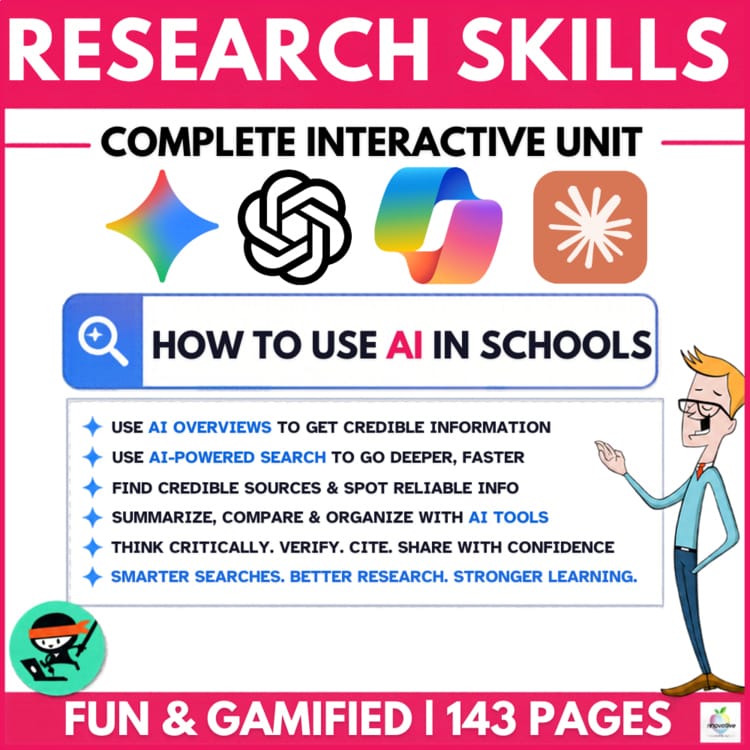
Teach your students an ESSENTIAL LIFE SKILL of the AI ERA with this NO-PREP AI LITERACY UNIT. Students learn to WRITE CLEAR PROMPTS, CHECK AI ANSWERS and USE AI HONESTLY, using the same proven approach as my best-selling Google Search like a BOSS.
Over 140 PAGES plus interactive slides, including:
Teaching research skills more broadly? The Research like a BOSS Bundle pairs this unit with my best-selling Google Search unit at a heavy discount.
AI Literacy FAQ
What is AI literacy? AI literacy is the knowledge and judgment to use artificial intelligence well. It includes understanding how AI tools work, using them to support thinking, checking what they produce, and recognizing risks to privacy, fairness and honesty.
What is the difference between AI literacy and digital literacy? Digital literacy covers finding, evaluating and creating information with digital tools, and staying safe online. AI literacy is part of it, focused on tools that generate content rather than just find it, which adds new skills such as prompting and checking for made-up information.
At what age should students learn about AI? Students can start learning what AI is, and that it can be wrong, in the early primary years through teacher demonstration and unplugged activities. Hands-on use usually starts later, since most chatbots set a minimum age of 13, often with parent consent for under-18s, unless the school provides an approved tool.
Should schools ban AI? Bans are hard to enforce and leave students to learn AI habits on their own. Most guidance now favors teaching AI literacy directly and setting clear rules about when AI may and may not be used for each task.
Do AI detectors work? Not reliably enough to base decisions on. Research has found detectors wrongly flag many essays by non-native English writers as AI-generated. Use them, if at all, as one prompt for a conversation, never as proof.
How do I teach students to fact-check AI? Give them an AI answer that contains a few planted errors. Students check each claim against a reliable source they open and read, mark it true, false, opinion or unsupported, and record where they checked. The free Catch the Bot lesson above is built this way.